PhotoPrompt
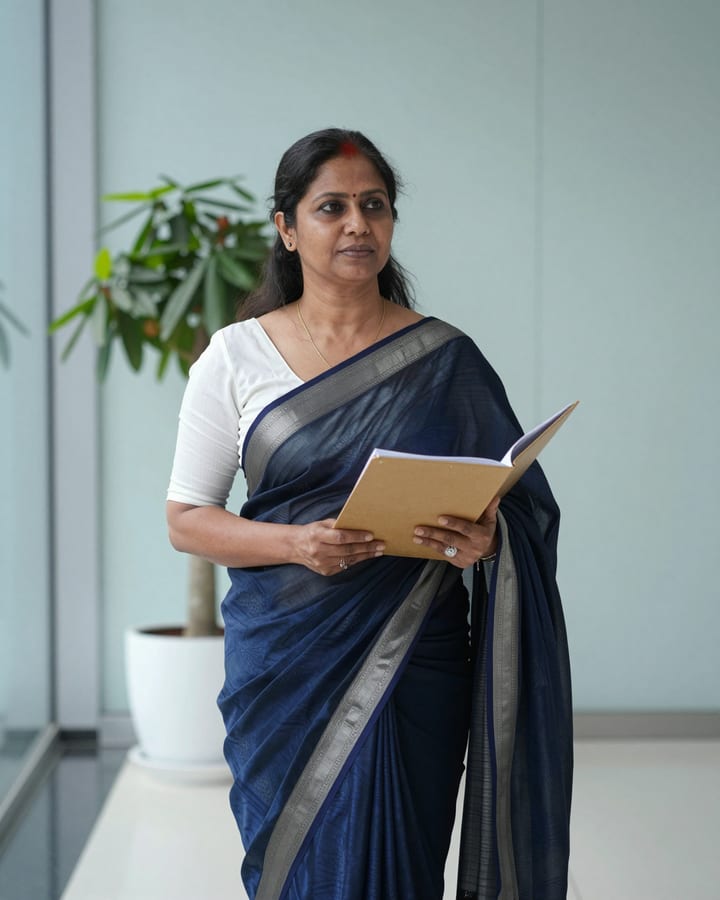
Navy Office Saree Glass Lobby AI Photo Prompt
Gemini & ChatGPT
Useful for professional profile pictures, bank and teaching-staff portraits and workplace anniversary posts.
How to use this prompt
- Copy the prompt above.
- Open Gemini or ChatGPT and attach your own photo.
- Paste the prompt and send it.
Tips for a better result
- A straight-on, upright photo helps pleats and pallu land correctly.
- If the saree looks too shiny for office use, ask for a matte finish with a minimal border.
Ways to change it
- Walking pose: Show me mid-stride through the lobby with the folder in one hand.
- Maroon shade: Change the saree to deep maroon with a thin gold line border.
Use only your own photo or one you have clear permission to use. Do not use photos of children or of anyone without their consent.
The sample photo was rendered by JadooKit with an open AI model and shows no real person. Your result in Gemini or ChatGPT will look different.